

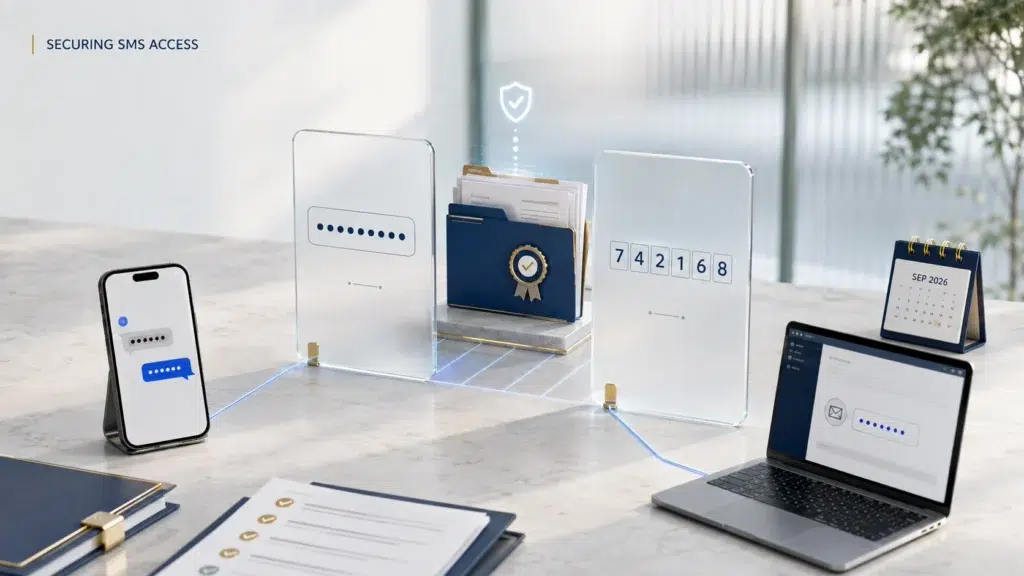
UK Home Office has announced that it will introduce mandatory Multi-Factor Authentication (MFA) for all Sponsorship Management System (SMS) users. The phased rollout will begin on 3 September 2026 and is expected to cover all sponsor licence holders by November 2026. Once MFA is enabled, SMS users must enter a one-time passcode alongside their username and password whenever they access the system.
Sponsors must check that the contact details recorded for their SMS users are correct before MFA is activated. Incorrect or incomplete information could prevent users from accessing the SMS and completing time-sensitive sponsorship duties.
What is Multi-Factor Authentication (MFA)?
Multi-Factor Authentication, known as MFA, requires more than one form of verification when accessing an account.
SMS users will continue to enter their username and password. They must then enter a one-time passcode before access is granted. This additional check can help protect a sponsor’s account if its password becomes compromised.
UK Home Office has trialled MFA voluntarily with selected sponsors since November 2025. It will now become mandatory across the sponsorship system.
How will MFA work for SMS users?
The method used to receive the one-time passcode will depend on the user’s access level and the contact details recorded in the SMS.
Level 1 Users
A Level 1 User with a valid mobile telephone number will receive the passcode by text message.
A Level 1 User without a valid mobile number will receive it by email.
Level 1 Users may also be asked to confirm their date of birth when:
- accessing an MFA-enabled account for the first time using a mobile telephone;
- changing their mobile telephone number; or
- changing their email address while logging into the SMS.
The user’s correct date of birth, mobile number and email address must therefore be recorded on the sponsor licence.
Sponsors should note that the Home Office will not request a user’s date of birth during an ordinary SMS login before MFA has been enabled.
Level 2 Users
Level 2 Users will receive their one-time passcodes by email. They must therefore have a valid and accessible email address recorded on the system.
UK Home Office has also confirmed that sponsors will no longer be able to add Level 2 Users under the new functionality. Sponsors will remain able to add Level 1 Users when required.
Organisations should consider whether their existing SMS user arrangements remain suitable before the restriction takes effect.
What must sponsors do before MFA is introduced?
Before MFA is activated, each sponsor should review the details recorded for its SMS users.
Level 1 Users should check their:
- email address;
- mobile telephone number; and
- date of birth.
Level 2 Users, and Level 1 Users without a mobile number, should confirm that their email address is correct.
The relevant email account and mobile telephone should be accessible whenever the user needs to enter the SMS. An outdated number, inaccessible inbox or incorrectly recorded date of birth could prevent the user from completing registration or logging in.
Sponsors should also read the Home Office MFA user guide before their activation date. The guide covers preparation, registration, common access problems and the available support arrangements.
It should remain available when the user registers for MFA and completes the first login after activation.
Why should organisations prepare early?
Access to the SMS is necessary for carrying out several sponsorship duties. These include assigning Certificates of Sponsorship, reporting changes and maintaining user information.
If an authorised user cannot access the system because their details are incorrect, the organisation may experience delays in completing time-sensitive sponsorship work.
Sponsors should not wait until their first MFA login to identify inaccurate information. User details should be checked in advance, particularly where an employee has changed their telephone number or email address.
Organisations may also wish to review:
- who currently holds Level 1 and Level 2 access;
- whether each user still requires access;
- whether registered contact details belong to the correct user;
- whether appropriate cover is available during absence; and
- how access problems will be escalated internally.
Each SMS user should use their own login details. Account credentials and one-time passcodes should not be shared with colleagues.
Be alert to fraudulent communications
The introduction of MFA may create opportunities for phishing attempts. Sponsors and SMS users should be particularly cautious about unexpected emails, telephone calls or passcode requests.
The Home Office has confirmed that it will never:
- ask for an SMS password or user ID;
- send a password or link for logging into the SMS;
- email a link asking the user to view an SMS message or take action through the system;
- ask for a user’s date of birth by email or telephone; or
- send a one-time passcode when the user has not requested one through the SMS.
An unexpected passcode may indicate that another person is attempting to access the account. It should not be disclosed or approved.
Suspicious communications or possible account compromises should be reported promptly to the Business Helpdesk at [email protected].
Where can sponsors obtain MFA support?
Questions specifically concerning MFA can be sent to [email protected].
The organisation’s name and sponsor licence number should be included in the email subject line. This mailbox is intended only for MFA-related enquiries and cannot address general sponsorship matters.
Preparing your sponsor licence for the change
Mandatory MFA represents an important change to the way authorised users access the Sponsorship Management System.
Sponsors should check their user information, review internal access arrangements and read the Home Office instructions before their scheduled activation date. Early preparation can reduce the risk of access difficulties and disruption to sponsorship activity.
Follow us for updates on changes to sponsor guidance, SMS requirements and Home Office compliance duties affecting UK employers.
With over 20 years of experience, Morgan Smith Immigration advises businesses on sponsor licence management and compliance. Our Sponsor Licence Compliance Mock Audit can help identify weaknesses in SMS access controls, reporting procedures and record-keeping before they attract Home Office scrutiny.
To arrange a mock audit or discuss your organisation’s sponsorship responsibilities, call us on 0203 959 3335 or email [email protected].